

Best 10 Purple Saree AI Prompts for Luxurious and Elegant Portrayals
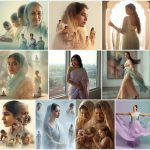
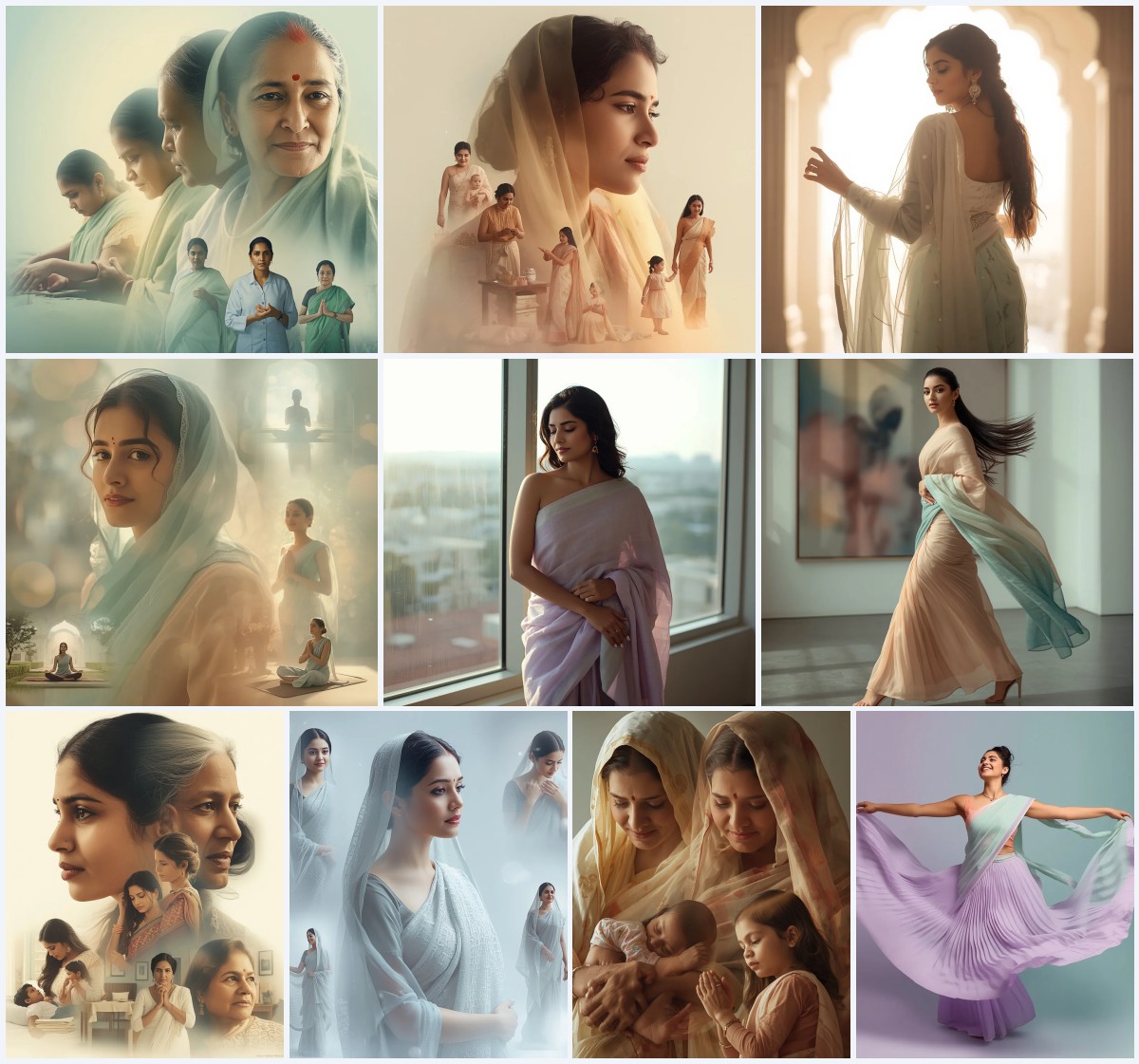
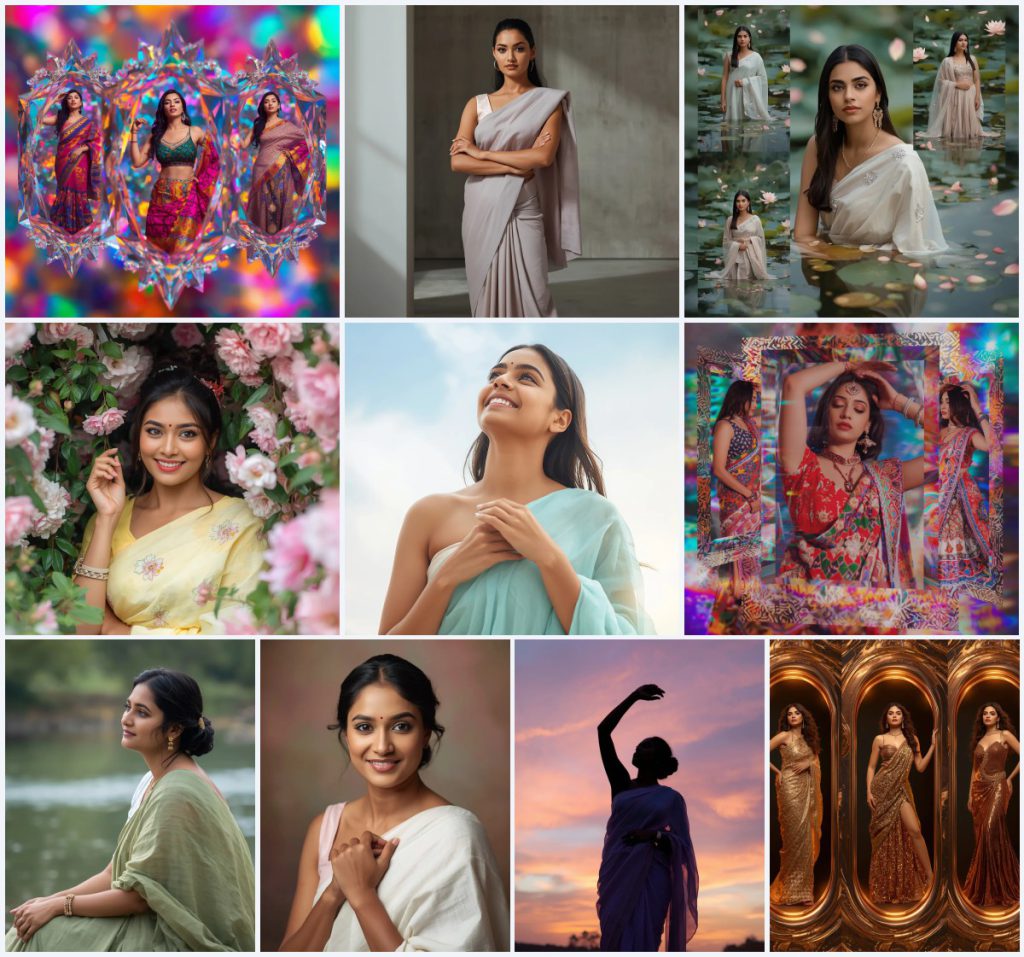
This collection gathers ten distinct AI image prompts that all revolve around Indian women in sarees, with a special emphasis on purple and pastel tones. The prompts range from a psychedelic holographic crystal collage to a graceful silhouette against a pastel sunset. Each one is designed to produce a luxurious, elegant portrayal suitable for creative art or photorealistic portraits.
Rather than treating each prompt as a separate article, this guide walks through the shared scene, the reasons these prompts work, and the practical steps to generate them. You will also find a comparison of AI tools, tips for better realism, and solutions to common issues. The goal is to help you get the most out of any prompt in this set, whether you are using ChatGPT, Google Gemini, Leonardo AI, or Midjourney.
What this purple saree prompt collection is asking for
The collection centers on Indian women wearing a variety of sarees, often in purple, lilac, pastel, or metallic tones, placed in carefully described settings. Some prompts build collages with crystal, lotus petal, glitch, or molten bronze frames, while others present single portraits with natural backdrops. The common thread is a focus on fabric drape, expression, and lighting that feels both luxurious and elegant. Each prompt specifies pose, makeup, hair, and background to guide the AI toward a cohesive image.
- A pastel charcoal grey saree with a sleek, structured drape and a modern architectural blouse.
- A pastel lemon-yellow cotton saree with delicate floral prints, worn while peeking from behind a curtain of pastel flowers.
- A pastel aqua blue georgette saree with hands softly clasped near the chest, set against a blurred ethereal sky.
- A pastel sage green cotton saree with natural texture, worn by a woman seated by a tranquil riverbank.
- A pastel ivory cotton saree with gentle texture, paired with a simple elegant bun and a warm pastel studio background.
- A flowing pastel lilac chiffon saree, its edges softly illuminated against a dramatic pastel sunset.
The shared scene across these saree portraits
Most prompts place the woman in a calm, softly lit environment. For example, one prompt describes "a thoughtful Indian woman is depicted in a moment of solitude by a tranquil riverbank" with "blurred, soft-focus greenery and the gentle flow of the river." Another uses "a blurred, ethereal sky in soft pastel blues and whites" to create an uplifting mood. The collages, by contrast, use "intricate, multifaceted holographic crystals" or "delicate lotus petals floating on a serene pond surface" as framing devices. In every case, the background supports the saree rather than competing with it.
The lighting is consistently described as natural or softly diffused, with a few exceptions like the "harsh, glowing golden light" in the molten bronze collage. Poses vary from "arms casually crossed, looking directly at the camera" to "one arm elegantly raised, fingers delicately fanned." This variety ensures that the collection covers both intimate portraits and more dramatic, artistic compositions.
Why these prompts produce luxurious and elegant portrayals
These prompts work because they combine specific fabric details with emotional cues and controlled lighting. The AI receives enough information to render texture, drape, and expression without becoming overloaded. This balance leads to images that feel both realistic and artistic.
- The saree descriptions include fabric type, color, and drape style, which helps the AI generate believable folds and sheen.
- Expressions and poses are clearly stated, such as "a radiant smile" or "gaze direct and empathetic," giving the portrait a human feel.
- Lighting instructions like "soft, diffused natural lighting" or "strong, contrasting studio lighting" set the mood and prevent flat results.
Three styles you can achieve with this set
This collection supports three distinct visual styles. Each style stays within the boundaries of the prompts, so you can choose one and still use the same base description. The styles are not mutually exclusive, but focusing on one helps maintain consistency across generations.
- Photorealistic portrait: Use the single-subject prompts with natural backdrops and soft lighting to create images that look like high-end photography.
- Surreal collage: The psychedelic holographic crystal, glitch pattern, lotus petal, and molten bronze prompts build multi-frame collages with vibrant, otherworldly effects.
- Minimalist modern: The empowered stance prompt with a concrete wall and structured drape delivers a clean, contemporary look with dramatic shadows.
How to generate these saree portraits step by step
Follow these steps to get the best results from any prompt in this collection. The process is similar across tools, but always check the output for common AI artifacts.
- Copy the prompt. Select the full prompt text from the page and paste it into your chosen AI image generator.
- Upload a reference. If the tool supports image references, upload a photo of a saree or a pose you like to guide the composition.
- Generate the image. Run the generator with default settings first, then adjust aspect ratio or style strength if needed.
- Check hands and face. Zoom in on hands and face for extra fingers, distorted features, or unnatural skin tones, and regenerate if necessary.
- Check the main object. Verify that the saree drape, jewelry, and background elements match the prompt description without merging or disappearing.
- Refine and upscale. Use inpainting or upscaling tools to fix small issues and increase resolution for a polished final image.
Working with a reference photo
A reference photo can dramatically improve realism, especially for saree folds and facial features. Use a clear, well-lit image that matches the pose and angle you want. Avoid photos with heavy filters or extreme angles, as they can confuse the AI.
- Choose a reference with similar lighting to the prompt, such as soft natural light for the riverbank or studio setting.
- Ensure the saree in the reference shows the drape and fabric texture you want, like the structured drape or flowing chiffon.
- Crop the reference to focus on the upper body and face if the prompt specifies a half-body or portrait shot.
AI tools for these purple saree prompts
Different tools handle realism and prompt adherence differently. The table below compares four popular options for generating these saree portraits. Each tool can work with the prompts, but results vary in texture, lighting, and detail.
| Tool | Access | Typical realism | Useful here for |
|---|---|---|---|
| ChatGPT | Web, API | Moderate to high | Generating the pastel charcoal grey saree with a sleek, structured drape and modern architectural blouse. |
| Google Gemini | Web, API | Moderate | Creating the playful glimpse of a woman in a pastel lemon-yellow cotton saree peeking from behind flowers. |
| Leonardo AI | Web, app | High | Rendering the graceful silhouette in a flowing pastel lilac chiffon saree against a pastel sunset. |
| Midjourney | Discord, web | Very high | Producing the psychedelic holographic crystal collage with intricate multifaceted frames and vibrant patterns. |
Tips for better saree and portrait results
Small adjustments can make a big difference. Pay attention to fabric names, lighting keywords, and pose descriptions. The prompts already include many specifics, but you can emphasize certain elements to steer the AI.
- Mention the fabric explicitly, such as "pastel aqua blue georgette saree" or "pastel sage green cotton saree," to get the right texture and fall.
- Add lighting cues like "soft, diffused natural lighting" or "strong, contrasting studio lighting" to match the mood of the prompt.
- Describe the pose with clear action words, for example "one hand gently pushing aside a flowering vine" or "arms casually crossed," to avoid stiff results.
Common issues and how to fix them
Even with detailed prompts, AI can produce errors. The table below lists frequent problems and what to change in your prompt or settings to resolve them.
| Issue | What to change |
|---|---|
| Saree drape looks unnatural or flat | Add more fabric-specific words like "flowing chiffon" or "structured drape" and mention pleats or pallu. |
| Face or hands are distorted | Use a reference photo, lower the creativity setting, or inpaint the affected areas. |
| Background elements merge with the subject | Increase the blur or depth-of-field description, such as "blurred, soft-focus greenery." |
| Colors are too saturated or not pastel enough | Specify "pastel" repeatedly and avoid words like "vibrant" unless you want a bold look. |
Frequently Asked Questions
Can I use these prompts to generate a purple saree specifically?
Yes. Several prompts mention pastel lilac, purple, or metallic tones. You can also replace color words with "purple" or "violet" to shift the palette while keeping the rest of the description.
Which prompt is best for a photorealistic portrait?
The intimate gaze prompt with a pastel ivory cotton saree and a warm pastel studio background tends to produce the most realistic results, especially with a reference photo.
How do I avoid a collage if I only want a single image?
Choose one of the single-subject prompts, such as the empowered stance or the riverbank scene. Avoid the collage prompts that mention multiple frames or segments.
Conclusion
This collection offers a wide range of moods and styles, from serene riverbank portraits to bold psychedelic collages. By following the steps and tips above, you can generate luxurious, elegant images that honor the saree's beauty. Experiment with different tools and reference photos to find the combination that works best for you.
Always edit only photos you have the right to edit, and respect the original creators' work.